It reads the whole song
Tempo, downbeat, key and the song's sections, found for you. Recordings without a click get a grid that follows the band.
Max for Live · Ableton Live 12
Chopsmith reads a whole track (tempo, key and sections), lets you grab a tempo-locked loop from it or from just its drums, bass or vocals, and pastes it straight into your Live set. Or turns it into MIDI.
Mac · Ableton Live 12.4+ with Max for Live · one licence for 3 Macs

Tempo, downbeat, key and the song's sections, found for you. Recordings without a click get a grid that follows the band.
Pick a length from 1/16 note to 8 bars and click the waveform. Best ▸ jumps between spots that repeat cleanly, and loops come out seamless.
Hear the loop locked to your set's tempo and pitch, flick through others while it plays, then paste the one you like.
Into a Session slot or the Arrangement, warped and looping, on the source track or a new one. One click undoes it.
After Live's Separate Stems, pick Drums, Bass, Vocals or Others, or paste every stem at once, lined up.
Turn a loop into a drum pattern, a bass line, a melody or chords, and build on it with your own sounds.
Plus Chopsmith Remote for playing it from any pad controller.
One button, a lot more
Press Editor and Chopsmith opens up: the waveform across your screen and six tabs. Favorites and a library of every song's best loops. Best, the cleanest loops ranked. Sections, the song's form, with Sketch to draft an arrangement in one click. Crate, a whole folder of songs sorted by how well they fit your set, ready to become a sample pack or a DJ set. Mashup, loops from other songs whose chords fit this one. And History, every paste, undoable.
Tour the Editor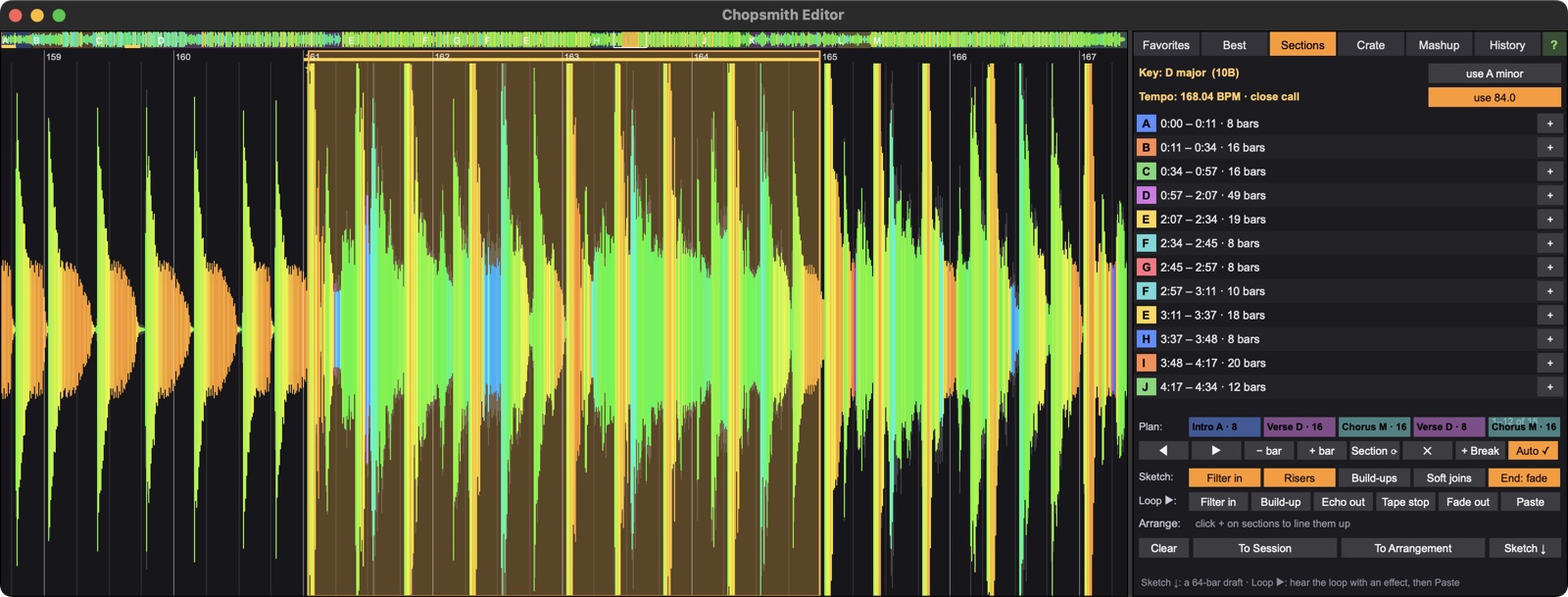
The download is the full Chopsmith. Without a licence key it's the demo: everything reads, plays and auditions, and Paste, Export and To MIDI ask for a key. Buy one and paste it in; no reinstall needed.
Drag Chopsmith.amxd onto an audio track, then follow the five-minute quick start.
A Mac (Apple silicon or Intel) and Ableton Live 12.4 or later with Max for Live: Live Suite, or Live Standard with the Max for Live add-on. The stem features use Live's own Separate Stems to New Audio Tracks.
Up to 3 Macs with one licence. To move to a new one, deactivate an old Mac in the customer portal linked from your purchase email, then activate the new one.
Only to activate, and for a quick licence check about every two weeks when it can. It works offline the rest of the time. Nothing about your music or projects is ever sent; see the privacy note.
Yes. Chopsmith claims nothing in what you make. Clearing the samples you take from other people's recordings is up to you.
Email nlampert@syncpodcast.com within 14 days of buying for a full refund, no questions asked. And there's the free demo to try first.
Yes: the Chopsmith guide has a five-minute quick start, every control, and a tour of the Editor. The ? in the Editor window opens it.
Not yet. Chopsmith is Mac-only for now.